




Software for Laser Outer Diameter Gauges
LDMCOM2
Ver1.01
- LDM-210
Overview
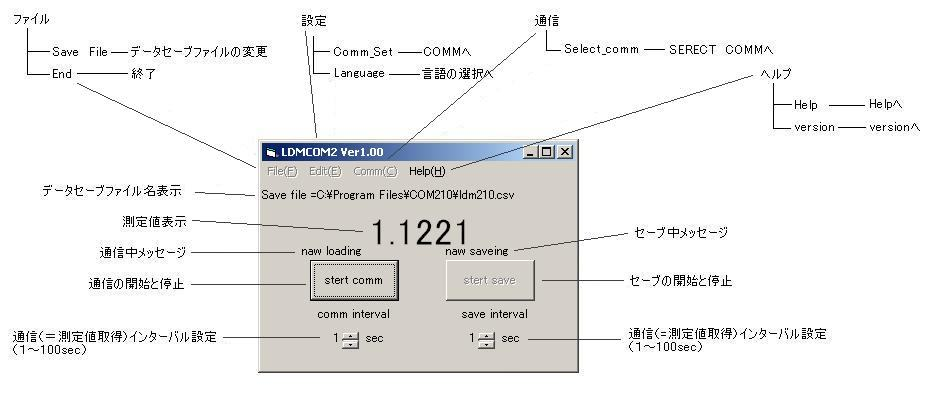
Displays and saves measured values, and displays, writes, and saves settings (select). Measurement data is saved in CSV format.
Installation
- Extract the files to any folder, then run setup.exe
- Then follow the installer instructions to complete the installation
Uninstallation
- Uninstall it in the usual way for removing applications on your PC
- Some files, such as settings and data files, remain after uninstallation. You may delete them if you no longer need them.
Screen Guide
Main Screen
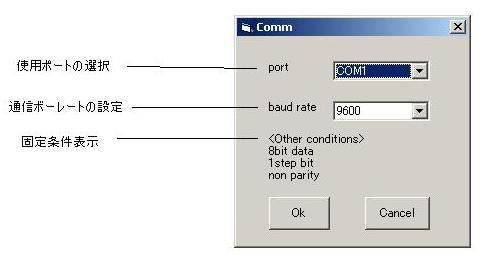
Communication Properties Screen
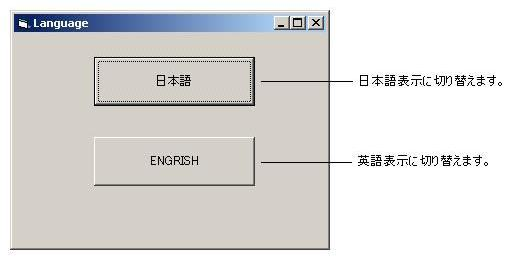
Language Selection Screen
Settings Data Communication Screen
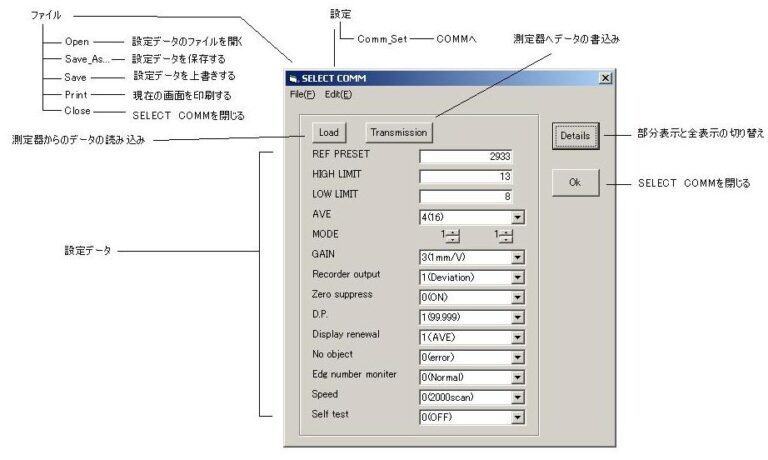
"load"
Reads the select data from the connected [LDM-210].
"transmission"
Sends measurement data to the connected [LDM-210].
You can switch between partial and full display of the measurement data; only the measurement data currently displayed is sent.
Saved Data
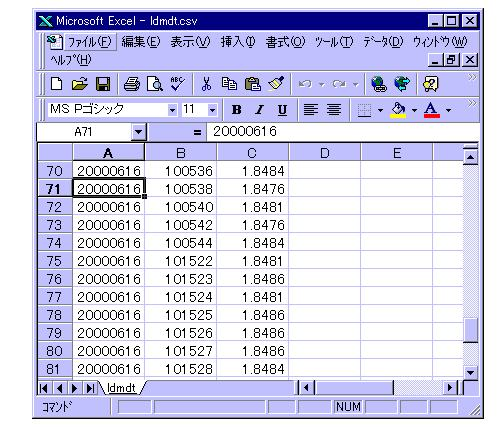
The saved data consists of the measured value and the date and time at which it was saved.
The figure shows an example of saved data opened in Excel.
For example, row 71 shows that the measured value 1.8476 (column C) was saved on June 16, 2000 (column A) at 10:05:38 (column B).
Important Notes
- The send command in "SELECT COMM" only sends data one way, so communication errors are not detected. Check that the settings have changed, either on the [LDM-210] display or by pressing the receive button.
- If the port used by this software is already in use, for example by other communication software, this program will close. Close the other software and run the program again.