



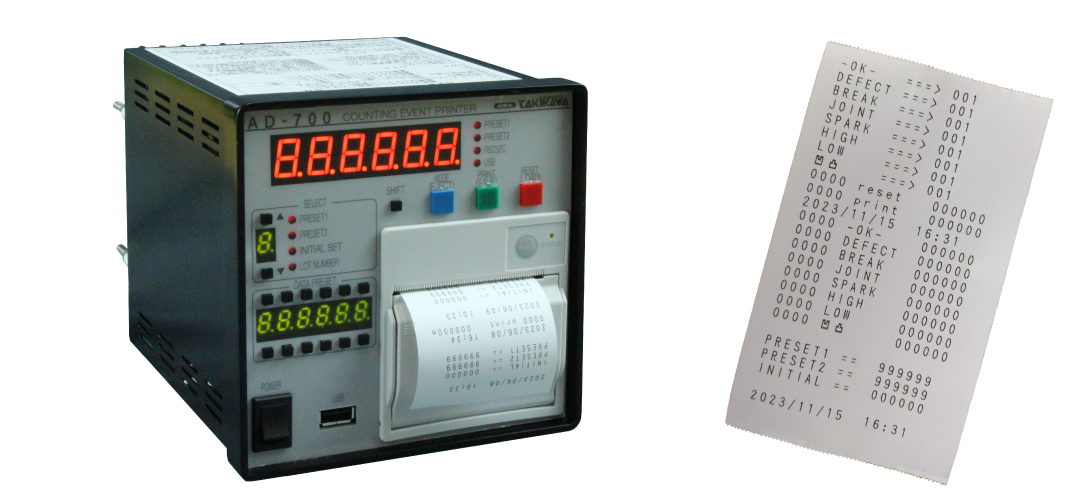
AD Series Counting Event Printer
Overview
Receives alarm signals from any equipment, such as outer diameter gauges and irregularity detectors, and continuously prints the wire length at the time of receipt together with a message.
Features of the AD Series
- Preset values (warning and full count) can be set for the measured length, and alarms can be output via RS232C (standard).
- Length pulses can be scaled, and setting a correction distance for each message records accurate length values.
- A USB port allows data to be saved and event names to be changed from USB memory.
Event Input Distance Correction Mode
Distance Correction
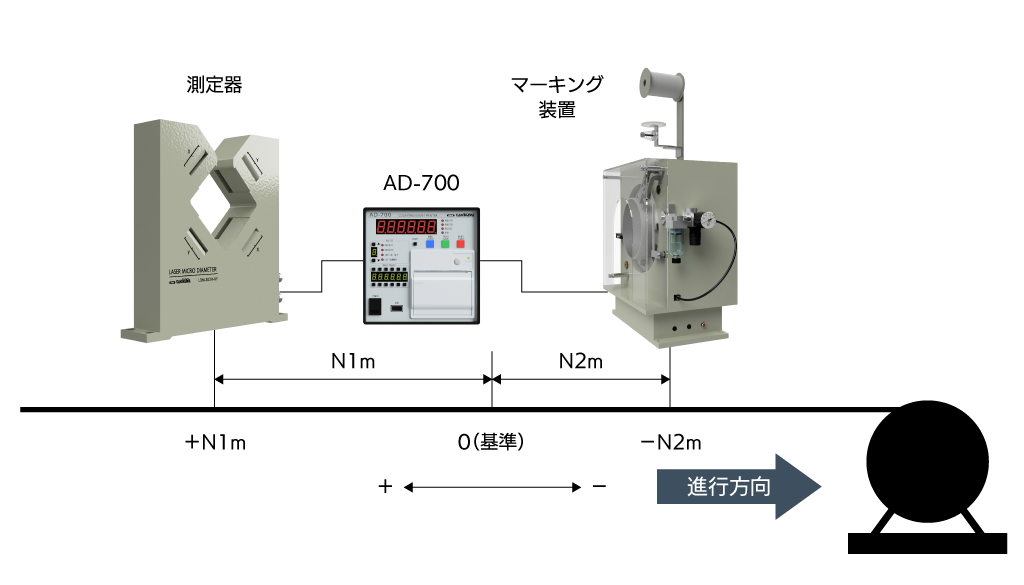
Corrects the distance to gauges and marking units
By setting in advance the position of the gauge that sends the event input relative to the reference position, the distance to gauges and marking units can be corrected.
This not only prints the exact length value when an event occurs but also allows marking at the exact position.
Data Output Examples
Output Examples
The date and time, lot number, and up to 10 messages can be entered. Clock and other settings are retained for a long time by battery backup.
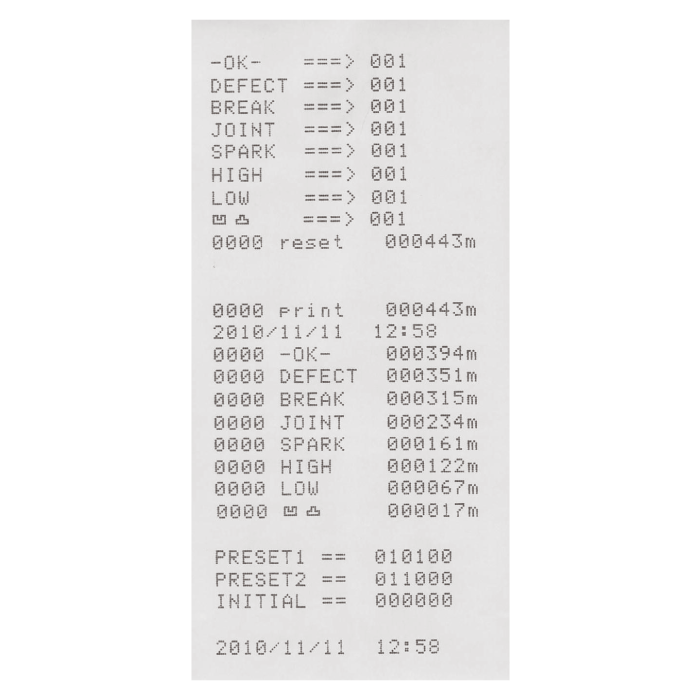
Data Output Examples
Thermal paper
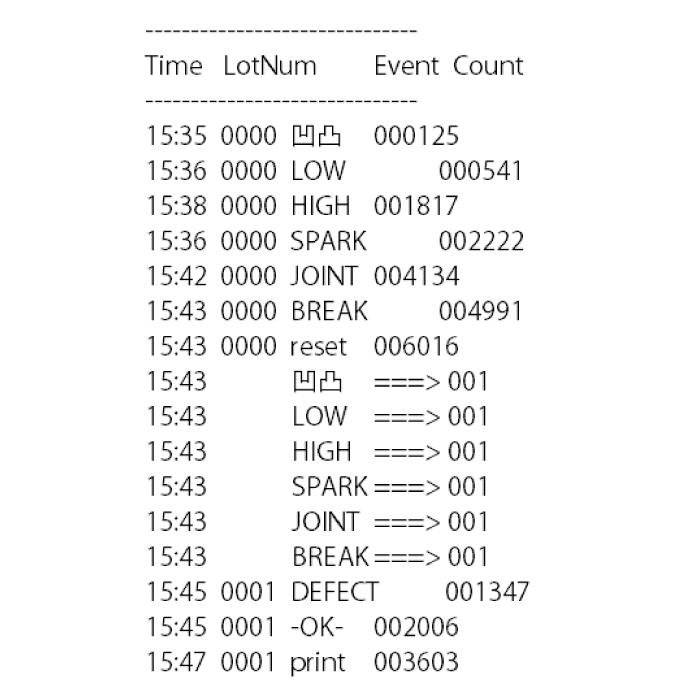
Data Output Examples
TXT format
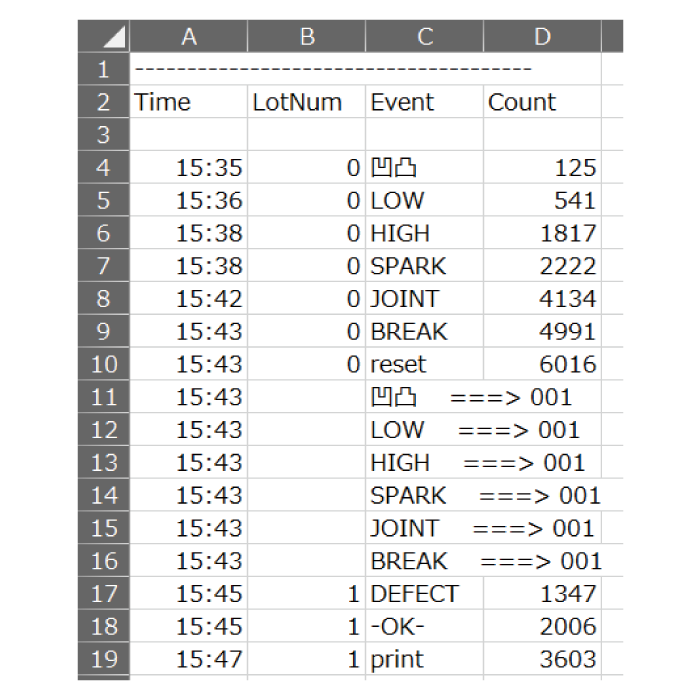
Data Output Examples
CSV format
AD-700 specifications
Product Specification
AD-700 Counting Event Printer
| Model | AD-700 | ||
|---|---|---|---|
| CAD files |  DXF |
 PDF |
|
| Length measurement | Length display | 6-digit green/red two-color 7-segment LED | |
| Length input clock | Single-phase pulse / A/B-phase pulse; up/down counting | ||
| Clock pulse rate | Max. 2 kPPS / 100 PPS, selectable | ||
| Pulse rate | Any value from 0.00001 to 999999 m/pulse | ||
| Length sensor power supply | +12 V DC, max. 70 mA | ||
| Event input | Number of event messages | 10 | |
| Message event input | Rear terminal block | ||
| Reset event input | Front panel switch, rear terminal block, RS232C | ||
| Print event input | Front panel switch, rear terminal block, RS232C | ||
| Changing message event names | Can be changed via RS232C or USB memory | ||
| Event input buffer | 50 | ||
| Settings | Parameter settings | Digital setting on 6-digit green 7-segment LED | |
| PRESET1 (full count) | 6 digits (absolute value) | ||
| PRESET2 (warning) | 6 digits (absolute value, or relative to PRESET1) | ||
| PRESET outputs | Red 7-segment length display, front panel LED, relay contact, RS232C | ||
| Initial set | 6 digits | ||
| Lot number | 4 digits, automatic update available | ||
| Event input distance correction | Correction distance can be set for each message event | ||
| Inverted characters | Data setting mode | ||
| Printing | Printer | 58 mm wide, thermal | |
| Paper-out output | Front panel LED, relay contact, RS232C | ||
| USB | Memory controller | USB 2.0 host controller | |
| Functions | Saving event data to USB memory; loading and saving settings | ||
| Marker output | Relay contact output; pulse width settable in 1 ms steps from 0 to 60000 ms | ||
| Clock | Year, month, day, hour, minute | ||
| Battery backup | Backs up length, clock, and settings (backup time: 1 month or more) | ||
| External communication | RS232C as standard (baud rate 9600/19200 bps) | ||
| Power supply | 90–240 V AC universal power supply, 50/60 Hz | ||
| Power consumption | 8 VA or less | ||
Comparison with Previous Models
Comparison
The main differences from the previous models (AD-50 and AD-500, both discontinued) are shown in the table below. The same roll paper (thermal paper) as the previous models can be used.
Comparison with Previous Models
| Items | AD-50 | AD-500 | AD-700 |
|---|---|---|---|
| Event input buffer | 5 | 50 | |
| Printer | 58 mm wide, 20 digits, thermal | 58 mm wide, 20 digits, thermal | |
| USB connector | × | USB2.0 | |
| Inverted characters | Set with printer switches | Set in data setting mode | |
AD-COM Communication Unit
Communication Unit
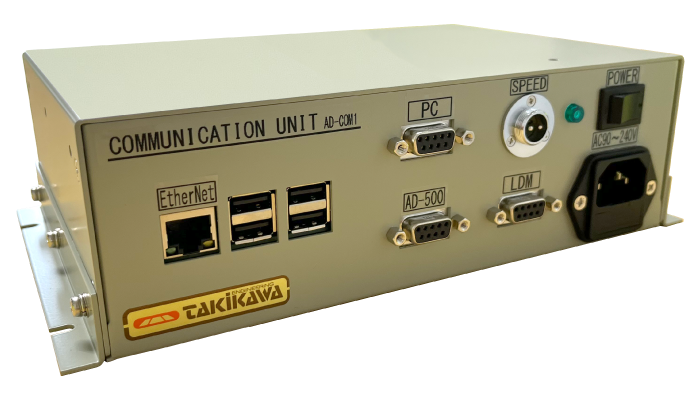
Records events and periodic data in CSV
Used connected to our laser outer diameter gauges and counting event printers.
With the line speed control voltage as input, it records the date and time, length, outer diameter, line speed, and event name when an event occurs. It also records the date and time, length, outer diameter, and line speed every 5 seconds.
The recorded data is saved in CSV format on a PC connected via LAN.
Documents for Evaluation
- Download
For case studies and products,
please feel free to contact us.